| Marketing Description |
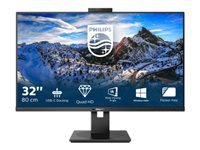
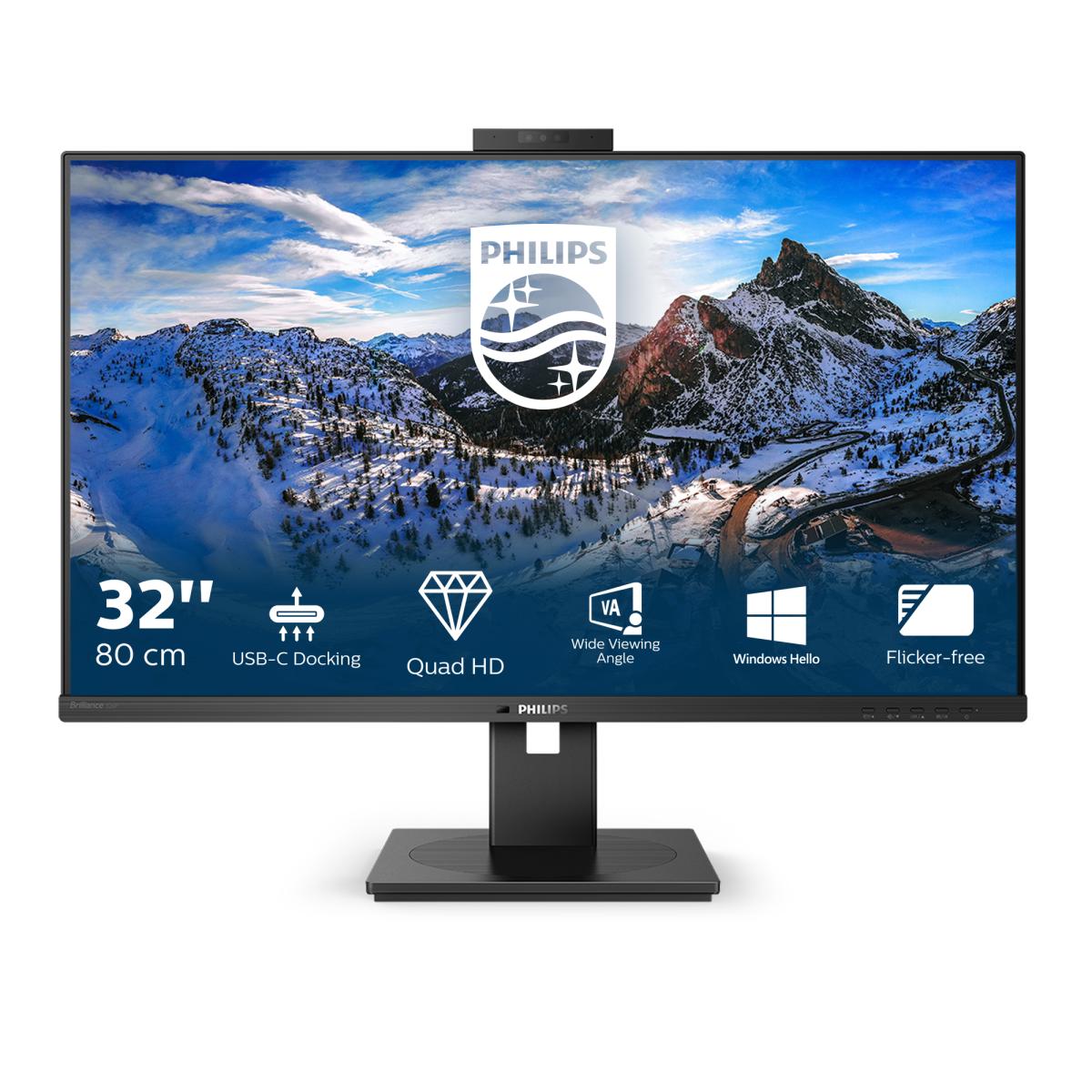
| The Philips USB-C docking display for a comprehensive solution. View QHD and re-charge a laptop up to 90 W, all at the same time with a single USB-C cable. Pop-up webcam with Windows Hello and daisy-chaining deliver performance and convenience. |
| Product Features |
- USB-C enables laptop power charging directly from a monitor
This Philips display features a built-in USB type-C docking station with power delivery. With intelligent and flexible power management, you can power charge your compatible laptop directly. Its slim, reversible USB-C connector allows for easy, one-cable docking. Simplify by connecting all your peripherals like keyboard, mouse and your RJ-45 Ethernet cable to the monitor's docking station. You can watch high-resolution video and transfer data at super-speed, while powering up and re-charging your notebook at the same time. - IPS technology for full colors and wide viewing angles
IPS displays use advanced technology that gives you extra-wide viewing angles of 178/178 degrees, making it possible to view the display from almost any angle - even in 90-degree Pivot mode! Unlike standard TN panels, IPS displays gives you remarkably crisp images with vivid colors, making it ideal not only for Photos, films and web browsing, but also for professional applications that demand color accuracy and consistent brightness at all times. - Securely sign in with pop-up webcam with Windows Hello
Phillips' innovative and secure webcam pops up when you need it and securely tucks back into the monitor when you are not using it. The webcam is also equipped with advanced sensors for Windows Hello facial recognition, which conveniently logs you into your Windows devices in less than 2 seconds, 3 times faster than a password. - Less eye fatigue with Flicker-Free technology
Due to the way brightness is controlled on LED-backlit screens, some users experience flicker on their screen which causes eye fatigue. Philips Flicker-Free technology applies a solution to regulate brightness and reduce flicker for more comfortable viewing. - LowBlue Mode for easy-on-the-eyes productivity
Studies have shown that just as ultra-violet rays can cause eye damage, shortwave-length blue light rays from LED displays can cause eye damage and affect vision over time. Developed for wellbeing, the Philips LowBlue Mode setting uses a smart software technology to reduce harmful shortwave blue light. - PowerSensor saves up to 80% energy costs
PowerSensor is a built-in 'people sensor' that transmits and receives harmless infrared signals to determine if the user is present and then automatically reduces monitor brightness when then user steps away from the desk, cutting energy costs by up to 80 percent and prolonging monitor life. - LightSensor for the perfect brightness with minimal power
LightSensor uses a smart sensor to adjust the picture brightness depending on the light conditions in the room for the perfect picture with minimal power usage. - Crystal clear images with Quad HD 2560 x 1440 pixels
These Philips screens deliver Crystal Clear, Quad HD 2560 x 1440 or 2560 x 1080 pixel images. Utilizing high-performance panels with high-density pixel count, enabled by high-bandwidth sources like Displayport, HDMI and Dual link DVI, these displays will make your images and graphics come alive. Whether you are a demanding professional requiring extremely detailed information for CAD-CAM solutions, a user of 3D graphic applications or a financial wizard working on huge spreadsheets, Philips displays will give you Crystal Clear images. - DisplayPort-out for connecting additional displays
With DisplayPort-out you can connect multiple high-resolution displays with just one cable from your first display to the PC. The ability to daisy chain multiple displays enables you to maintain a clean desktop without the hassle of too many wires. - TUV Eye Comfort certified to reduce eye fatigue
Philips displays meet TUV Rheinland Eye Comfort standard to prevent eye strain caused by prolonged computer use. With TUV Eye Comfort certification, Philips displays ensure flicker-free, low-blue mode, no disturbing reflections, a wide viewing angle, less reduction of image quality from different angles and ergonomic stand designs for an ideal viewing experience. Keep your eyes healthy and boost work productivity.
|
| General |
| Display Type |
LED-backlit LCD monitor / TFT active matrix
|
| Energy Label QR Code URL |
Https://eprel.ec.europa.eu/qr/398293
|
| Energy Class |
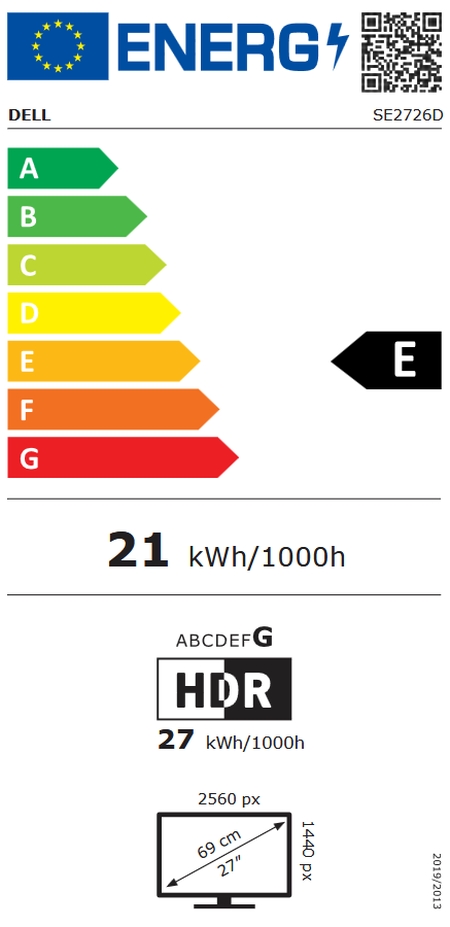
Class F
|
| Energy Consumption per Year |
58 kWh
|
| Diagonal Size |
32"
|
| Built-in Devices |
USB Hub, 2.0 megapixel camera, Gigabit Ethernet network adapter
|
| USB Power Delivery |
90 Watt
|
| Panel Type |
IPS
|
| Aspect Ratio |
16:9
|
| Native Resolution |
QHD 2560 x 1440 at 75 Hz
|
| Pixel Pitch |
0.2727 mm
|
| Pixel Per Inch |
93
|
| Brightness |
350 cd/m²
|
| Contrast Ratio |
1000:1 / 50000000:1 (dynamic)
|
| Colour Support |
1.07 billion colours
|
| Colour Gamut |
101.7% sRGB, 88% Adobe RGB, 89% NTSC
|
| Response Time |
4 ms (grey-to-grey)
|
| Vertical Refresh Rate |
48 - 75 Hz
|
| Horizontal Refresh Rate |
30 - 114 kHz
|
| Horizontal Viewing Angle |
178
|
| Vertical Viewing Angle |
178
|
| Screen Coating |
Anti-glare, 3H Hard Coating, Haze 25%
|
| Backlight Technology |
WLED
|
| OSD Languages |
Multilingual
|
| Features |
Lead-free, PowerSensor, SmartImage, Low Blue Light Mode, Flicker Free technology, BFR/PVC-free, Mercury free, Adaptive-Sync technology, LightSensor, EasyRead, Delta E<2 calibration, SmartControl
|
| Colour |
Black texture
|
| Dimensions (WxDxH) |
71.4 cm x 28 cm x 64.9 cm - with stand
|
| Weight |
12.22 kg
|
| Audio |
| Type |
Speakers - stereo
|
| Output Power / Channel |
5 Watt
|
| Connectivity |
| Interfaces |
DisplayPort 1.4 (HDCP 2.2)
2 x HDMI (HDCP 2.2)
USB-C 3.2 Gen 1 upstream (power up to 90W, HDCP 2.2)
DisplayPort output
USB 3.2 downstream (fast charging)
3 x USB 3.2 downstream
Audio line-out
Network (RJ-45)
|
| Mechanical |
| Display Position Adjustments |
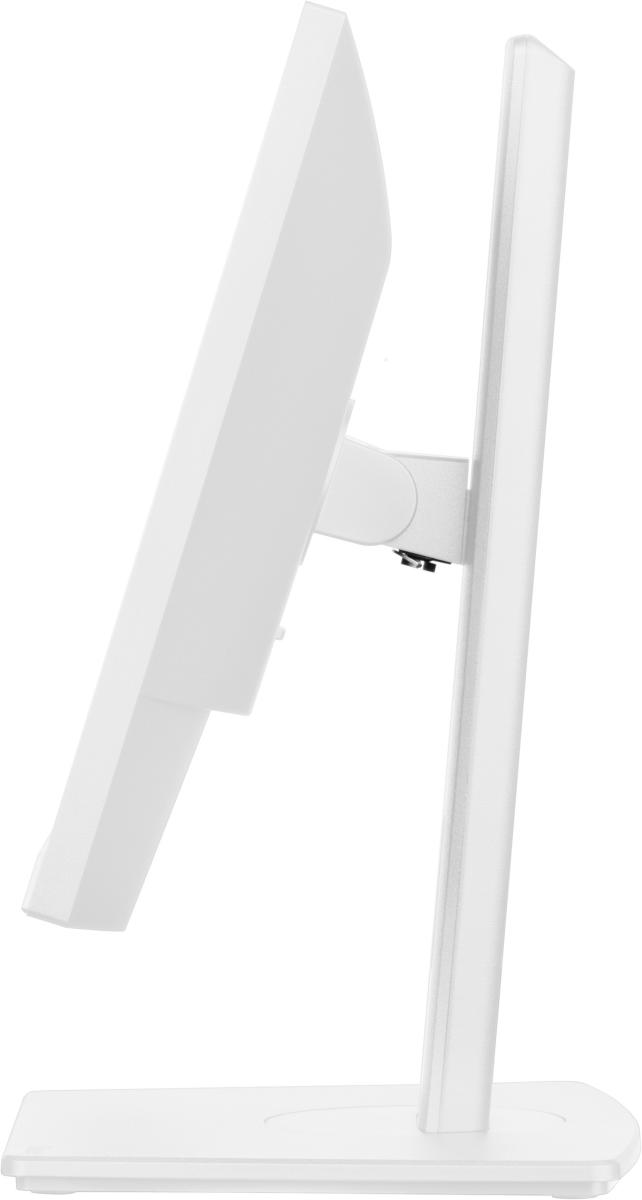
Height, pivot (rotation), swivel, tilt
|
| Tilt Angle |
-5/+25
|
| Swivel Angle |
360
|
| Rotation Angle |
180
|
| Height Adjustment |
180 mm
|
| VESA Mounting Interface |
100 x 100 mm
|
| Miscellaneous |
| Features |
Security lock slot (cable lock sold separately)
|
| Cables Included |
1 x HDMI cable
1 x DisplayPort cable
1 x USB-C to USB-C / USB-A cable
|
| MTBF |
70,000 hour(s)
|
| Compliant Standards |
Plug and Play, FCC Class B certified, TUV, TUV GS, ICES-003, SEMKO, CB, CCC, TUV Ergo, DDC/CI, RoHS, CECP, CEL, EPA, CU-EAC, EAEU RoHS
|
| Security Slot Type |
Kensington security slot
|
| Power |
| Input Voltage |
AC 120/230 V (50/60 Hz)
|
| Power Consumption (On mode) |
32 W
|
| Power Consumption SDR (On mode) |
32 kWh/1000h
|
| Power Consumption (Typical) |
39 Watt
|
| Power Consumption Stand by |
0.3 Watt
|
| Power Consumption (Off Mode) |
0.3 Watt
|
| On / Off Switch |
Yes
|
| Dimensions & Weight |
| Dimensions & Weight Details |
With stand (highest position) - width: 71.4 cm - depth: 28 cm - height: 64.9 cm - weight: 12.22 kg
Without stand - width: 71.4 cm - depth: 6.2 cm - height: 42.2 cm - weight: 8.21 kg
|
| Dimensions & Weight (Shipping) |
| Shipping Width |
93 cm
|
| Shipping Depth |
18.6 cm
|
| Shipping Height |
56.3 cm
|
| Shipping Weight |
15.53 kg
|
| Sustainability Information |
| TCO Certified |
TCO Certified Edge Displays, TCO Certified Displays 9
|
| ENERGY STAR Certified |
Yes
|
| ENERGY STAR Version |
8.0
|
| Manufacturer Warranty |
| Service & Support |
Limited warranty - 3 years
|
| Environmental Parameters |
| Min Operating Temperature |
0 °C
|
| Max Operating Temperature |
40 °C
|
| Humidity Range Operating |
20 - 80%
|


 p/n 326P1H/00


 Може да разчитате на професионален и експресен гаранционен и извънгаранционен сервиз на лаптопи, настолни компютри, монитори, принтери и периферни устройства! Нашите сервизни инженери ще Ви предоставят възможно най-доброто отношение и най-изгодното решение на Вашия проблем. Ние сме оторизиран премиум търговски партньор и оторизиран гаранционен сервиз на принтери, скенери и мултифункционални устройства BROTHER, LEXMARK и KONICA MINOLTA, на компютри, лаптопи и сървъри DELL и FUJITSU, на баркод принтери CITIZEN, TSC и GODEX и сервизна точка на почти всички останали ИТ брандове представени в България.
 Избирате удобен за вас начин на плащане: в брой, по банка, с карта или на изплащане – при това с експресна доставка до 48 часа. Не трябва да посещавате офис, банка или кредитни институция. Лесно, просто и бързо!
 eCenter е бранд на InfoBox с вече над 36 годишна история. Ние предлагаме оригинални продукти, с фабричната им гаранция, осигурен оторизиран сервиз и високо квалифицирани сервизни инженери. Ние доставяме и разпространяваме над 25 000 продукта на информационните технологии: лаптопи, компютри, таблети, смартфони, телевизори, компютърни компоненти, принтери и мултифункционални устройства, консумативи, периферни устройства, софтуер, уреди за дома и аксесоари на топ световните производители като Acer, Adobe, APC, ASUS, BROTHER, DELL, HP, Konica Minolta, Lenovo, Lexmark, LG, Philips, Toshiba, Samsung, SONY, Xerox и много други. Ние сме желан партньор на над 60 български и чуждестранни дистрибутора, както и за над 220 български и чуждестранни корпоративни клиента.
 При нас може да разчитате на цени с перфектното съотношение Цена - Качество - Сервиз



 Лаптопи и компютри
 Смартфони и таблети
 Компоненти и периферия
 Офис техника и оборудване
 TV, фото и видео
 Сървъри, сториджи и UPS
 Рутери и мрежово оборудване
 Видеонаблюдение и контрол на достъп
 Кабели
 Софтуер и услуги
 Хоби и развлечение
 Малки електроуреди
 Здраве и красота